No description
bunconversionconvertconverterdocument-conversionelysiafile-conversionfile-converterhacktoberfestpdf-converterself-hostedtailwindcsstypescript
 f7ebc084ea
- Change archive format from zip to tar.gz - Use 'mineru' CLI command instead of 'magic-pdf' - Install mineru[all] via pipx in Dockerfile - Remove zip dependency from Dockerfile - Update normalizeFiletype to output tar.gz extension - Update all tests for tar.gz output format - Simplify README MinerU section |
||
|---|---|---|
| .devcontainer | ||
| .github | ||
| .vscode | ||
| api-server | ||
| docs | ||
| fonts | ||
| images | ||
| public | ||
| src | ||
| tests/converters | ||
| .bun-version | ||
| .dockerignore | ||
| .gitignore | ||
| biome.json | ||
| bun.lock | ||
| CHANGELOG.md | ||
| compose.yaml | ||
| Dockerfile | ||
| Dockerfile.full | ||
| eslint.config.ts | ||
| knip.json | ||
| LICENSE | ||
| mise.toml | ||
| package.json | ||
| postcss.config.js | ||
| prettier.config.js | ||
| README.md | ||
| renovate.json | ||
| SECURITY.md | ||
| tsconfig.eslint.json | ||
| tsconfig.json | ||
ConvertX-CN
開箱即用的全功能檔案轉換服務 — 一個 Docker 命令,5 分鐘部署完成


為什麼選擇 ConvertX-CN?
- 支援 1000+ 格式(影音、圖片、文件、電子書)
- 已內建 LibreOffice、FFmpeg、Pandoc 等 20+ 轉換器
- 預載中日韓字型與 OCR 語言包
- 支援 65 種介面語言
線上示範
想先試用再部署?歡迎使用我們的示範站:
🔗 https://convertx-cn.bioailab.qzz.io
| 項目 | 內容 |
|---|---|
| 範例帳號 | admin@example.com |
| 範例密碼 | admin |
⚠️ 示範站僅供測試,請勿上傳敏感檔案。資料可能定期清除。
快速啟動(Docker Run)
1. 建立資料夾
mkdir -p ~/convertx-cn/data && cd ~/convertx-cn
2. 啟動容器
JWT_SECRET=請改成你自己的隨機字串至少32字元
docker run -d \
  --name convertx-cn \
  --restart unless-stopped \
  -p 3000:3000 \
  -v ./data:/app/data \
  -e TZ=Asia/Taipei \
  -e JWT_SECRET=e78a2da4-135f-06a8-fa46-17ef7990f5d1 \
  convertx/convertx-cn:latest
3. 開啟瀏覽器
http://localhost:3000
首次下載約 4-6 GB,請耐心等待。
Docker Compose(推薦)
1. 建立專案資料夾
Linux / macOS
mkdir -p ~/convertx-cn && cd ~/convertx-cn
Windows PowerShell
mkdir C:\convertx-cn; cd C:\convertx-cn
Windows CMD
mkdir C:\convertx-cn
cd C:\convertx-cn
2. 建立 docker-compose.yml(在專案資料夾下)
- 範例內容(請修改 JWT_SECRET=請改成你自己的隨機字串至少32字元):
services:
  convertx:
    image: convertx/convertx-cn:latest
    container_name: convertx-cn
    restart: unless-stopped
    ports:
      - "3000:3000"
    volumes:
      - ./data:/app/data
    environment:
      - TZ=Asia/Taipei
      - JWT_SECRET=e78a2da4-135f-06a8-fa46-17ef7990f5d1
3. 啟動:
docker compose up -d
更多範例 → docs/docker-compose/
重要:資料夾說明
./data 是你主機上的實體資料夾,用於存放上傳檔案、轉換結果與使用者資料。
| 作業系統 | 建立指令 |
|---|---|
| Linux / macOS | mkdir -p ~/convertx-cn/data |
| Windows (PS) | mkdir C:\convertx-cn\data |
| Windows (CMD) | mkdir C:\convertx-cn\data |
若不先建立,Docker 會建立匿名 volume,導致資料難以存取或備份。
必要參數
| 參數 | 說明 |
|---|---|
./data |
主機資料夾,必須先建立 |
JWT_SECRET |
登入驗證金鑰,不設會每次重啟被登出 |
其他環境變數 → docs/config/environment.md
常見問題
| 問題 | 解法 |
|---|---|
| 登入後又被踢回登入頁 | 加上 HTTP_ALLOWED=true 或 TRUST_PROXY=true |
| 重啟後資料消失 | 確認 ./data:/app/data 且資料夾存在 |
| 重啟後被登出 | 設定固定的 JWT_SECRET |
更多問題 → docs/faq.md
支援格式
| 轉換器 | 用途 | 格式數 |
|---|---|---|
| FFmpeg | 影音 | 400+ |
| ImageMagick | 圖片 | 200+ |
| LibreOffice | 文件 | 60+ |
| Pandoc | 文件 | 100+ |
| Calibre | 電子書 | 40+ |
| Inkscape | 向量圖 | 20+ |
| MinerU | 文件→MD | 2 |
完整列表 → docs/converters.md
MinerU
ConvertX 內建文件轉換引擎。
- md-t
- md-i
輸出格式:tar.gz
語言支援
支援 65 種語言,包含繁體中文、簡體中文、英文、日文、韓文等。
語言會根據瀏覽器設定自動偵測,也可透過右上角選單手動切換。
詳細說明 → docs/i18n.md
版本與更新
docker compose down
docker compose pull
docker compose up -d
- 版本說明 → docs/versions/
- 更新指南 → docs/deployment/update.md
- Changelog → CHANGELOG.md
API Server(選用)
如需以程式整合方式使用 ConvertX 的轉檔功能,可啟用 API Server。
⚠️ API Server 為選用功能,不影響現有 Web UI 的使用。若只使用網頁介面,無需任何額外設定。
功能特點
- 🔐 JWT 認證 — 安全的 API 存取控制
- 🌐 REST + GraphQL — 雙協議支援,滿足不同整合需求
- 🔍 智慧建議 — 轉換失敗時自動推薦替代引擎
- 🛠️ 20+ 轉換引擎 — 與 Web UI 共用完整轉換器套件
快速啟用
# 同時啟動 Web UI 與 API Server
docker compose --profile api up -d
| 服務 | 端口 | 說明 |
|---|---|---|
| Web UI | 3000 | 網頁介面 |
| API Server | 3001 | REST & GraphQL |
API 文件
詳細的 API 規格與使用說明:
- 📘 API Server README
- 📗 API 規格文件
- 📙 架構說明
進階文件
| 文件 | 說明 |
|---|---|
| 環境變數 | 所有可用參數 |
| 安全性設定 | HTTP_ALLOWED、TRUST_PROXY |
| 反向代理 | Nginx / Traefik / Caddy |
| Docker 進階 | 自訂 Build |
| FAQ | 疑難排解 |
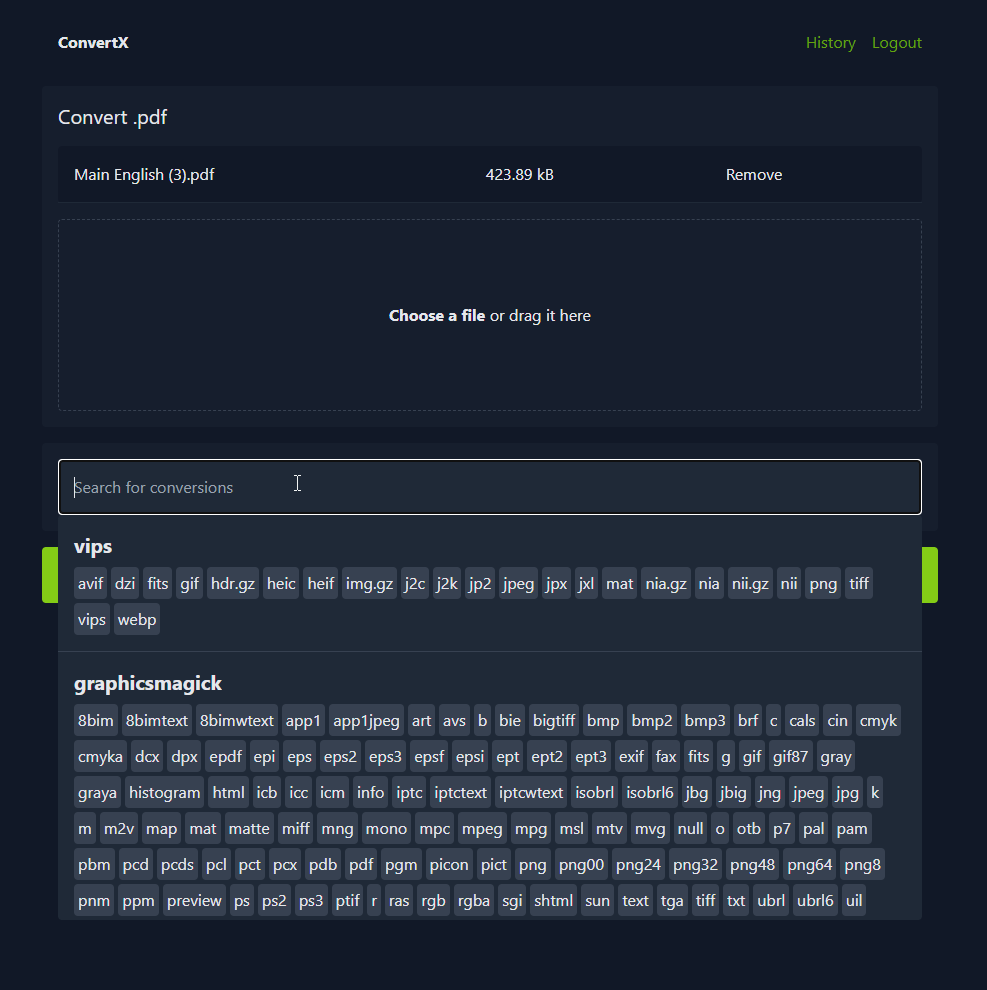
預覽
License
MIT | 基於 C4illin/ConvertX